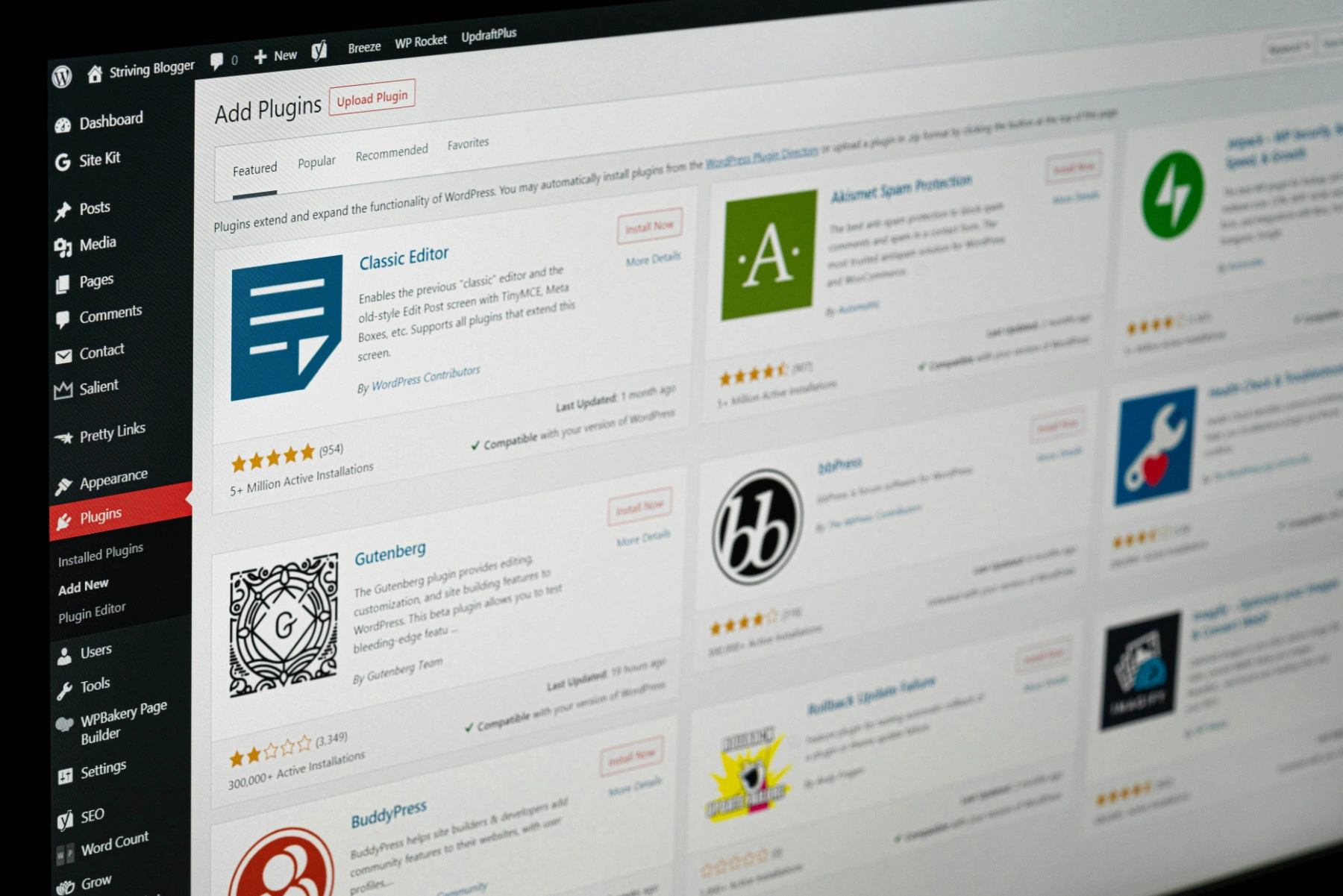

Your chambers or firm website probably runs on the WordPress CMS, and underneath it there will be somewhere between twenty and fifty plugins doing their quiet work. Enquiry forms, barrister profiles ordered the way your clerks want them, spam filtering, search, image optimisation, cookie consent. Most of the time you have no reason to think about any of it, which is an advantage.
Still, plugins shape what your website can do, what it costs to run, and where its weak points are. Here is a plain-English guide to how they work.
What’s a plugin?
WordPress core, the software itself, is deliberately lean. It handles pages, posts, users, media and not much else. Anything beyond that comes from a plugin: a self-contained piece of software that plugs into WordPress and adds a capability.
The phone analogy holds up well. Your phone’s operating system does very little on its own. The apps you install make it useful, and you choose them according to what you need. Plugins work the same way, with the same trade-offs around quality, support and trusting somebody else’s code.
Why plugins are such good value
A mature WordPress plugin represents years of accumulated development. Gravity Forms, the form builder we use on most of the sites we build, has been in continuous development since 2009. It handles conditional logic, multi-page forms, file uploads, entry storage, notification routing, spam protection, payment integrations and data retention rules. As a guide, Gravity Forms licenses run from $59 to $259 a year depending on features needed and number of websites.
Commissioning the equivalent as bespoke software would run to a serious five-figure project, and you would then own the maintenance of it forever. Instead, you get software that thousands of other organisations are using, testing and reporting bugs on every day, for roughly the cost of a decent lunch.
That maths is why plugins exist, and why a well-chosen set of them is usually the sensible answer rather than a compromise.
Where plugins come from
The official WordPress plugin directory holds tens of thousands of free plugins, all of them released under an open-source licence. Anyone can publish one. That openness is the ecosystem’s great strength and the reason it needs judgement to navigate.
Behind those plugins sit very different kinds of operation:
- Volunteer and community projects. Often excellent, occasionally abandoned when the developer’s circumstances change.
- Freemium businesses. A capable free version in the directory, with a paid tier funding the work. Most of the best-known plugins follow this model.
- Premium-only products. Sold directly, never listed in the free directory, typically with proper support desks behind them.
- Corporate-owned. Akismet, a spam filter tool used on some sites, is maintained by Automattic. Advanced Custom Fields, which underpins how custom content is structured on a great many professional sites, is owned by WP Engine.
Ownership changes hands more often than you might expect. A plugin acquired by a larger company sometimes gets better resourced, and sometimes gets quietly deprioritised. It is one of the things we keep an eye on.
How we choose them
We are conservative about this, deliberately. Our rough test for any plugin going onto a client site:
- Is it widely used? Install counts are a blunt measure, but a plugin running on a hundred thousand sites has had its edge cases found by someone other than you.
- Is the developer visibly active? Regular releases and answered support threads tell you more than a feature list does.
- Do we already know it? Most of what we install is something we have run on dozens of sites for years. Familiarity is worth a great deal when something misbehaves at five to five on a Friday.
- Do we have a relationship with the developer? For the tools that matter most, we do, and being able to get a considered answer from someone who wrote the code is genuinely valuable.
- What does our network say? We compare notes with other WordPress agencies constantly. Reputational damage travels fast in a small professional community, which keeps developers honest.
In practice that means our standard build leans on a consistent, well-established set: Gravity Forms for forms, Advanced Custom Fields and Pods for structuring content like barrister profiles and practice areas, Relevanssi for search, FacetWP for simple filtering, SEOPress for search engine settings, Complianz for cookie consent, and Accessibility Checker from Equalize Digital to catch accessibility problems before content goes live.
The honest downsides
Plugins are third-party software, and that comes with real costs.
You are depending on someone else’s roadmap. If a developer decides to change direction, raise prices or stop work altogether, that becomes your problem too.
We cannot simply edit the code. Any change we make directly to a plugin is wiped out by its next update. There are proper ways to extend a plugin’s behaviour, but they are constrained by what the developer chose to make extensible.
Accessibility is not guaranteed. A plugin that outputs markup on your public pages can introduce accessibility failures, and not every developer treats this as a priority. For legal sector sites, where accessibility is both a professional expectation and increasingly a procurement question, this is one of the first things we test.
Occasionally they conflict. Two plugins doing reasonable things in incompatible ways is a real category of problem, which is why changes go onto a staging site before they go anywhere near your live one.
“Close enough” is sometimes the best available. Events and booking systems are the classic example. Every one of them makes assumptions about how events work, and those assumptions never quite match how a particular set of chambers actually runs its seminar programme. Part of our job is being honest about where a plugin gets you ninety per cent of the way and whether the last ten per cent is worth paying for.
Every plugin is more code that could go wrong. More software means more surface area for bugs and for attackers, and more weight for the site to carry. The discipline is to install what you need and nothing else.
Why plugins get updated so often
Four reasons, roughly in order of how often they apply.
WordPress core ships major releases several times a year, and PHP, the programming language underneath it all, moves forward independently. Plugins have to keep pace with both. Then there are ordinary bug fixes, new features, and security patches when a vulnerability is found and responsibly disclosed.
Not every update is urgent, but the ones that matter are rarely labelled helpfully, which is why the safe approach is to apply them all promptly rather than judge each on its merits.
Premium plugins & licenses
Premium licences typically run from around £40 to £250 a year per site, depending on the plugin, and for business-critical tools they are worth paying without hesitation.
A licence buys you three things: continued access to updates, including security patches; a support desk staffed by people who know the software; and a share in keeping the developer in business. That last one is not sentimentality. Unfunded plugins are the ones that get abandoned, and an abandoned plugin doing something important on your site is a problem that only gets more expensive the longer it sits there.
Letting a licence lapse is a false economy of a specific and unpleasant kind. The plugin keeps working, so nothing appears to be wrong, while it quietly stops receiving the security updates that were the main thing you were paying for. The same is true of any plugin whose folder has been renamed. It keeps working, and it silently stops matching updates and vulnerability alerts. We do not rename plugin folders.
Abandoned plugins
A plugin that has stopped receiving updates is not automatically dangerous. It depends entirely on what it does. Something producing a static piece of layout is low risk even when neglected. Something handling enquiry submissions, file uploads or user logins is a different matter, because that is where attackers look.
The two signals we watch are the date of the last release and whether anyone is answering questions about the plugin. A support forum full of unanswered compatibility questions going back eighteen months tells you what you need to know. When a plugin we rely on starts showing those signs, we look for a maintained alternative and plan the move before it becomes urgent.
Keeping it all current
On sites we manage under a support package, routine plugin updates are applied at least weekly. Security releases are applied as soon as we learn of them, and we use vulnerability monitoring that alerts independently of the update cycle. Licences are tracked and renewed. Deprecated plugins get flagged and replaced. If you are a client of ours, you will not find a Plugins menu in your WordPress admin, which is intentional: we hold that responsibility so you do not have to think about it.
One thing worth saying plainly, because the industry tends not to. No update regime makes a website immune. Vulnerabilities are sometimes found in the current release of a well-maintained, widely-used plugin, and in those cases everyone running it is exposed until a patch ships. Staying current dramatically reduces your risk and shortens your exposure window. It does not eliminate either, and anyone promising otherwise is selling something.
When we build our own
Occasionally the right answer is not a plugin from the directory at all.
A custom plugin is software we write specifically for a purpose, usually because nothing off the shelf does the job or because the available options would need so much bending that maintaining the bend costs more than building it properly. Recent examples from our own work include a system generating polished PDF profiles and brochures from barrister and lawyer pages, built around how chambers actually present themselves rather than a generic template, and a tool for moving structured content between sites during redesigns without the usual data loss.
The trade-off is straightforward: you get exactly what you need, and we carry the maintenance rather than a third party. We reach for it when the alternative genuinely does not work, not as a default.
Plugin sources
The official directory at wordpress.org/plugins is the place to browse, and worth a wander if you are curious about what exists. WPBeginner, run by Syed Balkhi, is the most accessible general resource for non-technical WordPress users. And wp-gems.com surfaces smaller, less obvious plugins that are easy to miss.
Do resist the urge to install anything you find – please discuss with us (or your agency).
In short
Plugins are why a professionally built WordPress website can do so much for so little. They are also a set of dependencies on other people’s software, other people’s businesses and other people’s priorities. Managing that well is mostly unglamorous, ongoing work: choosing carefully, keeping things current, watching for the ones going quiet, and knowing when to build rather than buy.
If you have questions about what is running on your site or why, email us at [email protected].