
In March 2025, the Solicitors Regulation Authority (SRA) warned about emails sent from [email protected]. Look closely: that’s an “i” where Addleshaw Goddard has an “l”. The emails claimed the firm was having problems with its bank account and asked for payment to be sent to an alternative one. One substituted letter, one plausible email, and money is gone.
Spotting a misspelt domain is at least possible. But when attackers get inside a genuine inbox, there is nothing to spot: the fraudulent payment instructions come from the real address, in the middle of a real conversation. For barristers, chambers and law firms, whose inboxes and systems hold privileged and commercially sensitive material, a single compromised login can expose client data, enable invoice fraud and damage hard-won trust. A password on its own is no longer enough to prevent it.
Two-factor authentication (2FA), multi-factor authentication (MFA) and, more recently, passkeys are the most effective everyday defences against this risk. This article explains what each one is, why they matter in legal practice, and how they fit together.
What do 2FA and MFA mean?
Authentication factors fall into three broad categories:
- Something you know: a password or PIN
- Something you have: a mobile phone, authenticator app or hardware security key
- Something you are: a fingerprint or face scan
2FA requires two of these factors to log in. MFA is the broader term for two or more. The National Cyber Security Centre (NCSC) uses the term two-step verification (2SV). In practice, the three terms are used largely interchangeably.
Common second factors include:
- a code sent by text message
- a time-limited code generated by an authenticator app, such as Microsoft Authenticator or Google Authenticator
- a push notification asking the user to approve a login
- a physical security key plugged into, or tapped against, a device
Why a password alone is not enough
Passwords are vulnerable in several well-documented ways:
- Phishing: convincing fake login pages capture credentials as they are typed
- Reuse: a password leaked in one data breach is tried automatically against other services
- Weak choices: short or predictable passwords can be guessed
Nobody is too savvy to be targeted. In one incident, a phishing email went out to figures across the legal world from a plausible address for the SRA’s own chair, inviting recipients to view a document. Anyone who entered their username and password on the page behind the link had handed them to criminals, and the SRA had to advise immediate password resets.
A second factor means that a stolen password, by itself, does not open the account. This single step blocks a large proportion of opportunistic attacks.
Why it matters in the legal sector
The legal profession is an attractive target, and not hypothetically. In June 2021 the commercial set 4 New Square suffered a ransomware attack in which data was stolen, and found itself in the unusual position of obtaining a High Court injunction against its own hackers, ordering “persons unknown” not to publish the material. The Bar Council described that summer’s spate of attacks on chambers as a wake-up call, and has since warned chambers about scam emails purporting to come from the Bar Council itself, chasing an outstanding invoice for a practising certificate fee.
The NCSC has published a dedicated report on the cyber threat to the legal sector, and the Law Society and the Bar Council jointly maintain an information security questionnaire that law firms use to assess the arrangements of the chambers and barristers they instruct. The updated version places particular emphasis on protection against phishing.
There is also a regulatory dimension. UK GDPR requires appropriate technical and organisational measures to protect personal data, and the Information Commissioner’s Office (ICO) has fined law firms where MFA was missing. In 2022 it fined criminal defence firm Tuckers Solicitors £98,000 after a ransomware attack, finding that MFA on its remote access system was a comparatively low-cost measure the firm should have had in place. In 2025 it fined DPP Law £60,000 after attackers entered the firm’s network through a rarely used administrator account without MFA (ICO announcement).
For organisations working towards Cyber Essentials certification, MFA must now be enabled on every cloud service that offers it. From April 2026, under version 3.3 of the requirements, failing to do so results in automatic failure (IASME, the body that runs the certification scheme).
Where to switch it on
Priority accounts for 2FA or MFA include:
- email, including Microsoft 365 and Google Workspace
- case management, practice management and diary systems
- cloud storage and document sharing platforms
- the website’s content management system
- website hosting accounts and domain name registrars
- LinkedIn and other social media accounts
- the password manager itself
Email deserves particular attention. A compromised inbox can be used to reset passwords on almost every other service, and to send convincing fraudulent payment instructions to clients, with none of the telltale signs of the lookalike email that opened this article.
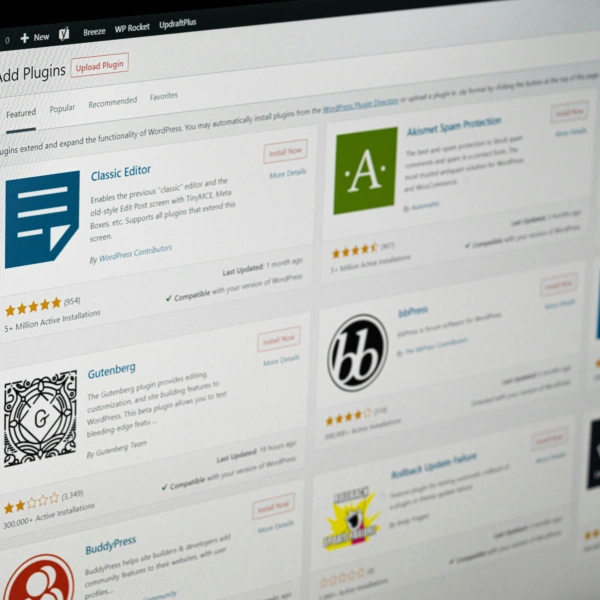
On WordPress sites, two-factor authentication and passkeys are added through a plugin. Several reputable options are available, and Square Eye uses and recommends two of them:
- Kadence Security (formerly Solid Security): the free version provides two-factor authentication through authenticator app codes, email codes and backup codes, and can make it compulsory for chosen groups of users. Kadence Security Pro adds passkeys, along with trusted devices, which limit administrator access to recognised devices
- Wordfence: authenticator app codes and passkeys are both available in the free version, and either can be made compulsory for particular user roles
Both are full security suites, with 2FA as one feature among many. A respectable third option is Two Factor, a free standalone plugin maintained by WordPress.org contributors. Because it does nothing but 2FA, it keeps login security independent of whichever security suite a site runs, although for most sites the simplicity of a single, well-maintained plugin wins out.
Not all second factors are equal
Any second factor is significantly better than none. However, there is a clear hierarchy:
- Text message codes are the weakest option, as they can be intercepted or redirected through SIM-swap fraud
- Authenticator apps and push notifications are stronger, although push requests can be abused by attackers sending repeated prompts in the hope that one is approved
- Hardware security keys offer the strongest protection of the traditional methods
The NCSC’s research has found that traditional MFA methods remain vulnerable to sophisticated phishing, where a fake site relays a code to the genuine service in real time. This is the gap passkeys are designed to close.
What passkeys are
A passkey is a replacement for a password. Instead of a secret that the user types in, a passkey uses a pair of cryptographic keys:
- a private key, held securely on the user’s device or in their password manager
- a public key, held by the website or service
To log in, the user simply unlocks their device with a fingerprint, face scan or PIN. There is nothing to type, remember or reuse.
Crucially, a passkey is tied to the genuine website it was created for. A fake login page cannot use it, which makes passkeys highly resistant to phishing. Passkeys can also be synchronised across a user’s devices through services such as Apple, Google, Microsoft and most leading password managers, so losing one device need not mean losing access.
In April 2026, the NCSC announced that it would begin recommending passkeys wherever a service supports them, and 2SV where it does not. Its technical analysis concluded that passkeys are at least as secure as, and generally more secure than, the strongest password combined with 2SV. The NCSC also reports that passkey logins can be up to eight times faster than signing in with a username, password and code (NCSC).
Do passkeys replace 2FA and MFA?
The two are not mutually exclusive. A passkey is, in effect, a stronger form of MFA built into a single step: it combines something the user has (the device holding the private key) with something they are or know (the fingerprint, face scan or PIN used to unlock it).
In practice:
- Where a service supports passkeys, a passkey generally replaces the password and the separate verification code
- Where a service does not support passkeys, a strong, unique password generated by a password manager, combined with 2FA, remains the recommended approach
Most professionals will use both for the foreseeable future, as passkey support varies from one platform to the next.
Two points are worth noting:
- Fallback routes matter. If an account still allows a password and text message code as an alternative way in, its overall security is only as strong as that weaker route
- Recovery needs planning. Passkeys should be synchronised or registered on more than one device, so that a lost or replaced phone does not lock a user out
Practical steps
- Make MFA mandatory for all members and staff on email and core systems, rather than optional
- Move away from text message codes wherever an authenticator app or passkey is available
- Enable passkeys on platforms that support them, starting with email and cloud accounts
- Provide a password manager for members and staff, as this simplifies both strong passwords and passkey storage
- Review website, hosting and domain registrar logins, which are often overlooked and frequently shared between several people
- Agree a clear process for lost devices and account recovery, so that security does not come at the cost of access during a hearing or deadline
And although this article is written with chambers and law firms in mind, none of it is unique to the law. The membership organisations, learned societies and publishers we work with hold member data, subscription payments and reputations of their own. Wherever a login protects sensitive information or money, it deserves more than a password.